
Every software engineer takes two things for granted. The first is version control — you work on a draft, you ship a deliberate release, and if the release is wrong you roll back to the last good one. The second is a debugger — when something breaks, you watch it run and see exactly where it falls over.
People building AI agents have lived without both. Visual workflow tools save your edits straight into the thing that's running in production, and when a run misbehaves your only recourse is to open a logs panel and read. As agents move from demos into production — answering real customers, moving real money — that gap stops being a nuisance and becomes a liability.
Today we're closing it. Falcon Builder now has a real Draft → Publish lifecycle with full version history and one-click restore, and you can watch a test run light up node-by-node on the canvas instead of reading logs. This is a deep dive into both, why they're really the same idea, and how we built them without breaking a single workflow already in production.
The bug you can't see coming
Picture the failure mode. You open a workflow that's live — it's receiving real webhook traffic from your lead form. You tweak an expression, rename a field, start wiring in a new branch. The editor auto-saves every few seconds, the way every modern tool does. Except in most workflow builders, the row the editor saves into is the row production executes. The moment autosave fires, your half-finished edit is answering real customers. There is no “save as draft.” There is no “publish when ready.” The act of editing is the act of deploying.
The second failure mode is quieter. The workflow runs, something comes out wrong, and you have no idea which step did it. You open the execution, scroll a wall of log lines, and try to reconstruct in your head what the graph in front of you actually did. The canvas — the thing that's supposed to show you the workflow — sits there static and unhelpful while you read JSON.
Editing in production and debugging by log-reading are the two habits that don't survive contact with real traffic. So we removed the need for both.
Part I — Draft and Live
The core idea is a clean separation between the workflow you're editing and the workflow that's running. We kept the model deliberately small:
- The draft is the workflow row the editor auto-saves into, exactly as before. Edit freely; nothing you do here touches production.
- A version is an immutable snapshot — the nodes, the edges, the configuration — created the moment you click Publish.
- Live is a pointer to the one version production should run. Until you publish, it points at nothing, and production traffic simply has nowhere to go.
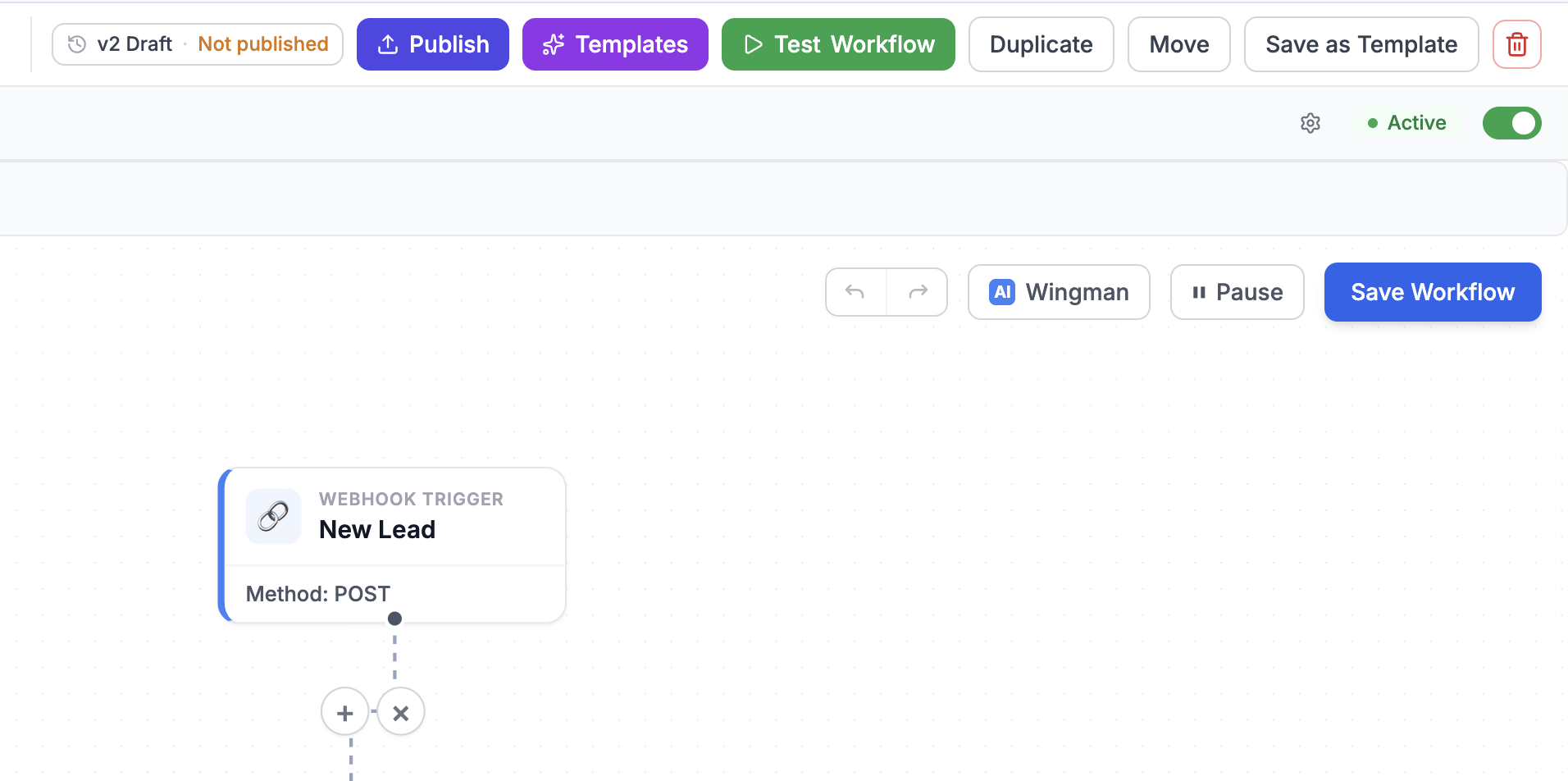
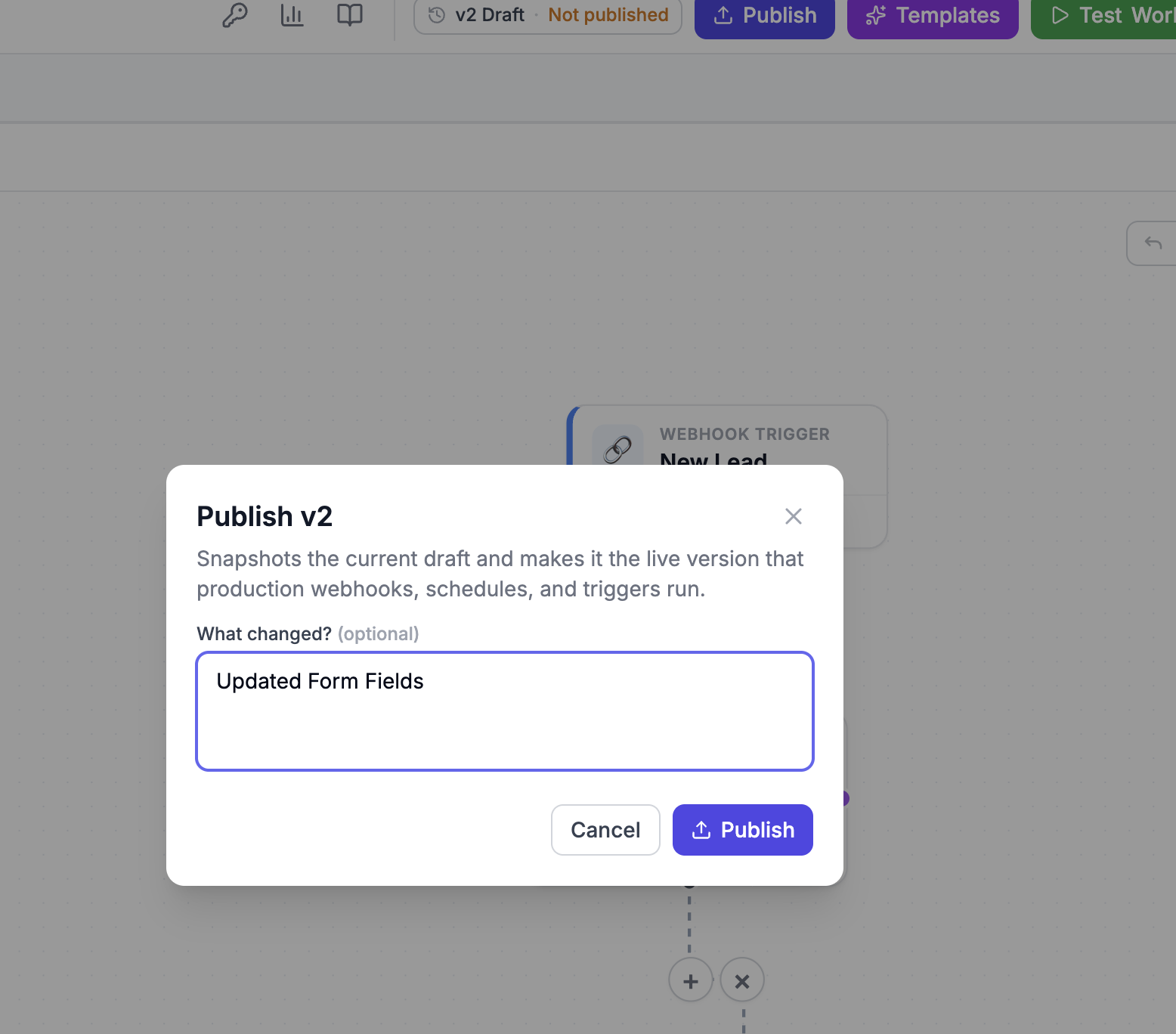
When you hit Publish, we snapshot the current draft into a new version and point Live at it. Production webhooks, schedules, and triggers run that snapshot — never your half-edited draft. You can keep editing the moment the modal closes, and not a single byte of what you type reaches a real customer until you decide it should.
Every run remembers which version it ran
Versioning isn't only about deploys — it's about reproducibility. Every execution pins itself to the exact snapshot it ran against. So when you look at a run from last Tuesday, you're looking at the graph as it existed last Tuesday, not as it exists now. Retries replay the same version. Logs line up with the code that actually produced them. The drift between “what I see in the editor” and “what ran” — the thing that makes production incidents so maddening — is gone.
History you can walk backward
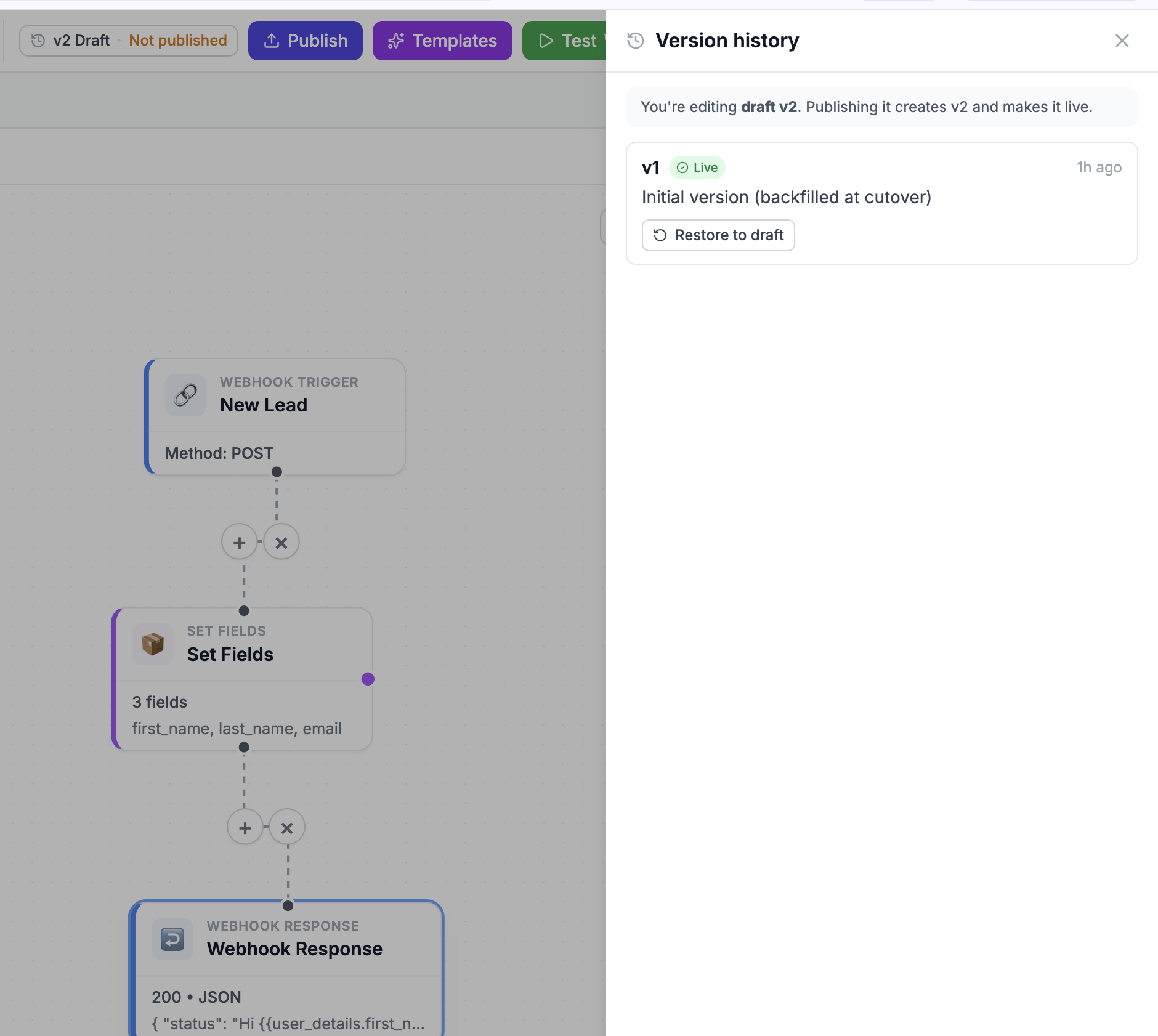
Because versions are immutable, history is free. Every workflow keeps a list of everything it's ever published, newest first, each tagged with who published it, when, and the note they left. The version that's currently Live wears a badge. And any past version is one click from being restored to your draft — you pull it back onto the canvas, look it over, and republish if it's what you want. Rollback stops being a fire drill and becomes a button.
Two URLs: one for production, one for testing
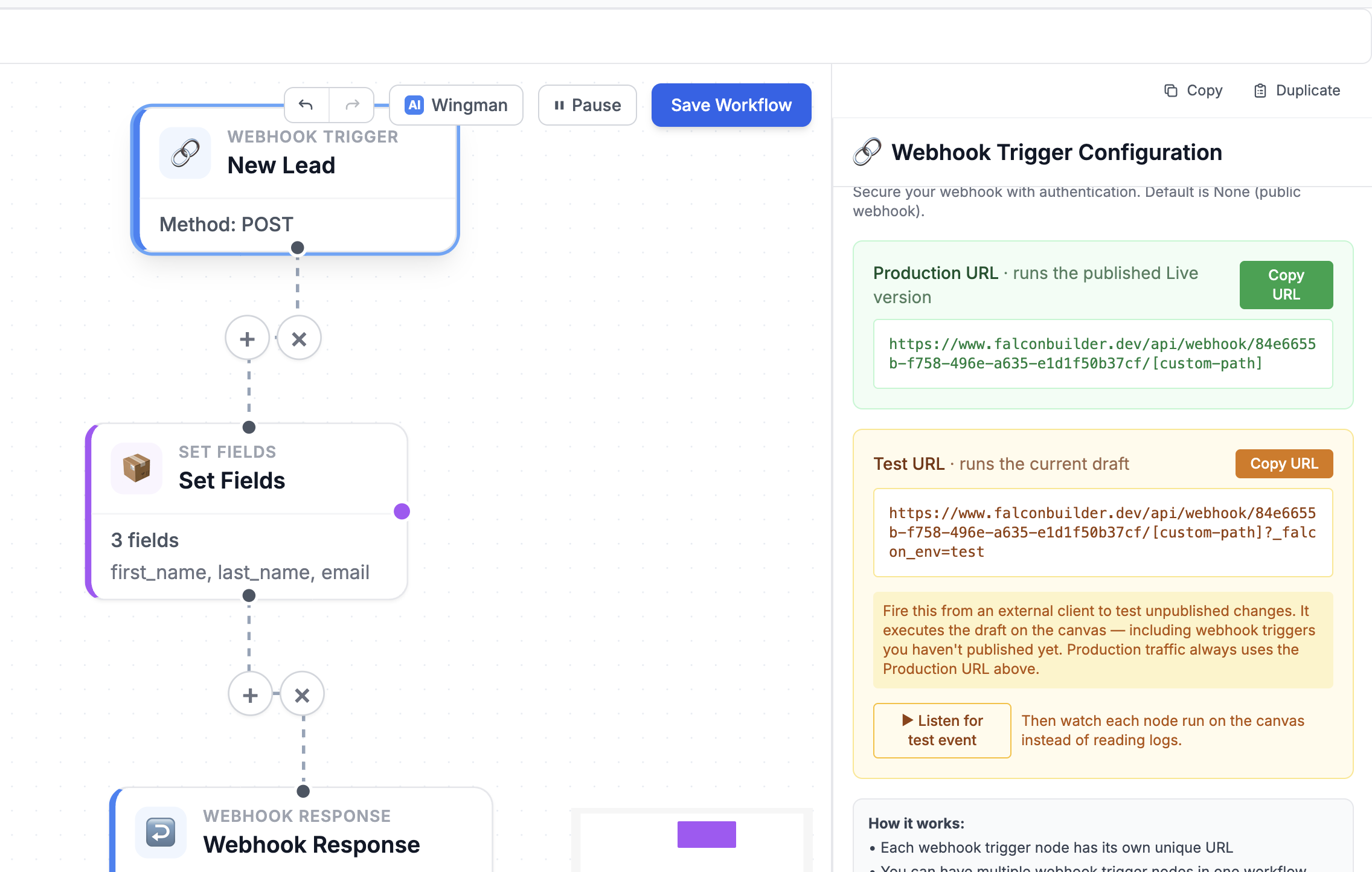
Here's where the model earns its keep. A webhook trigger now exposes two URLs. The Production URL runs the published Live version — it's what you give to your CRM, your form, your partner. The Test URL — the same address with a reserved ?_falcon_env=test flag — runs your current draft, including trigger changes you haven't published yet.
That means you can fire a real, external request — from Postman, from curl, from the actual upstream service — at your unpublished workflow, exercise it end-to-end, and only then publish. Production traffic always goes to the Production URL; your experiments always go to the Test URL; the two never cross.
Part II — Watch it run
A separation between draft and live is only half the story. Once you can safely test an unpublished workflow, you want to actually see it work. So we turned the canvas into a debugger.
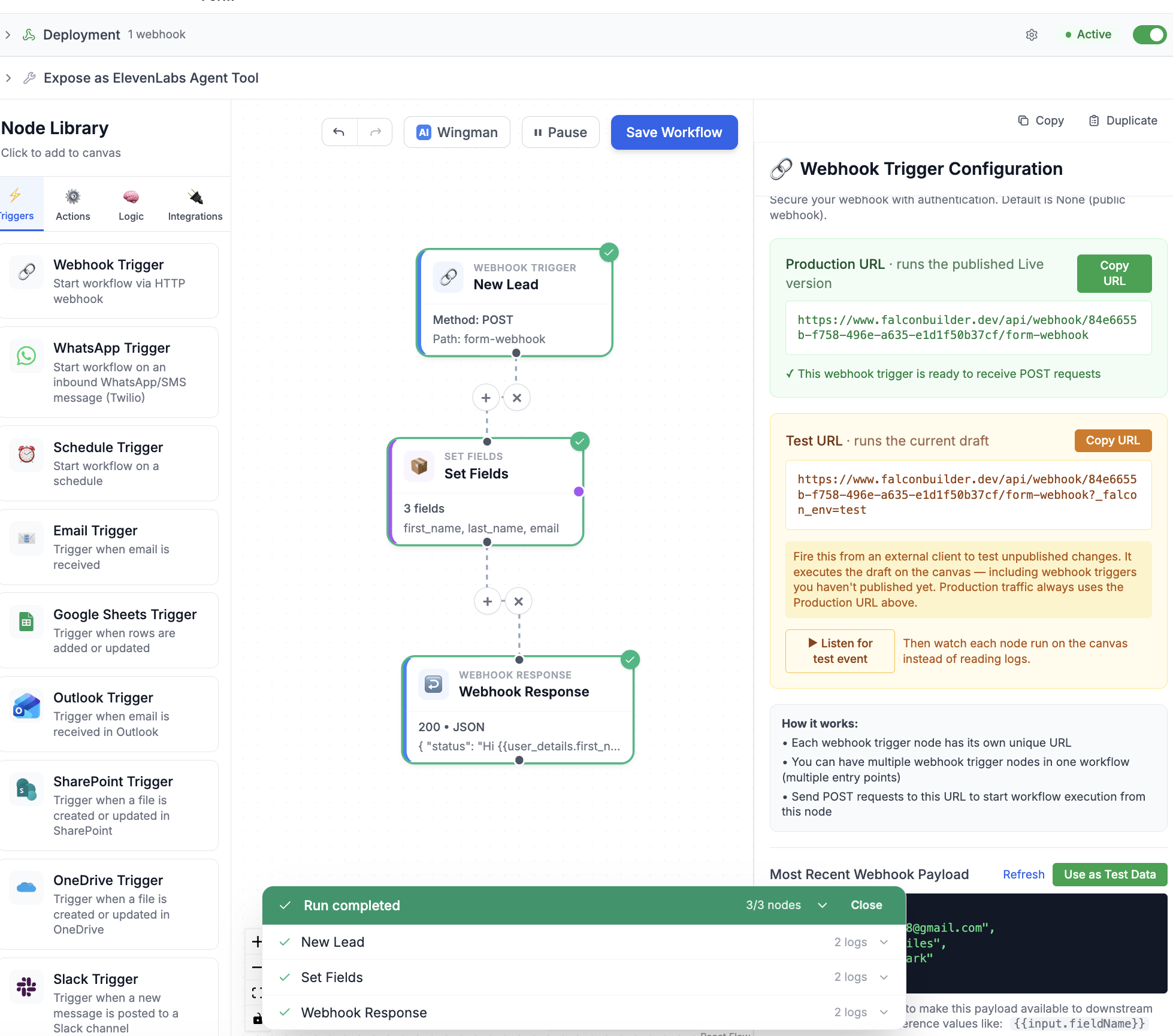
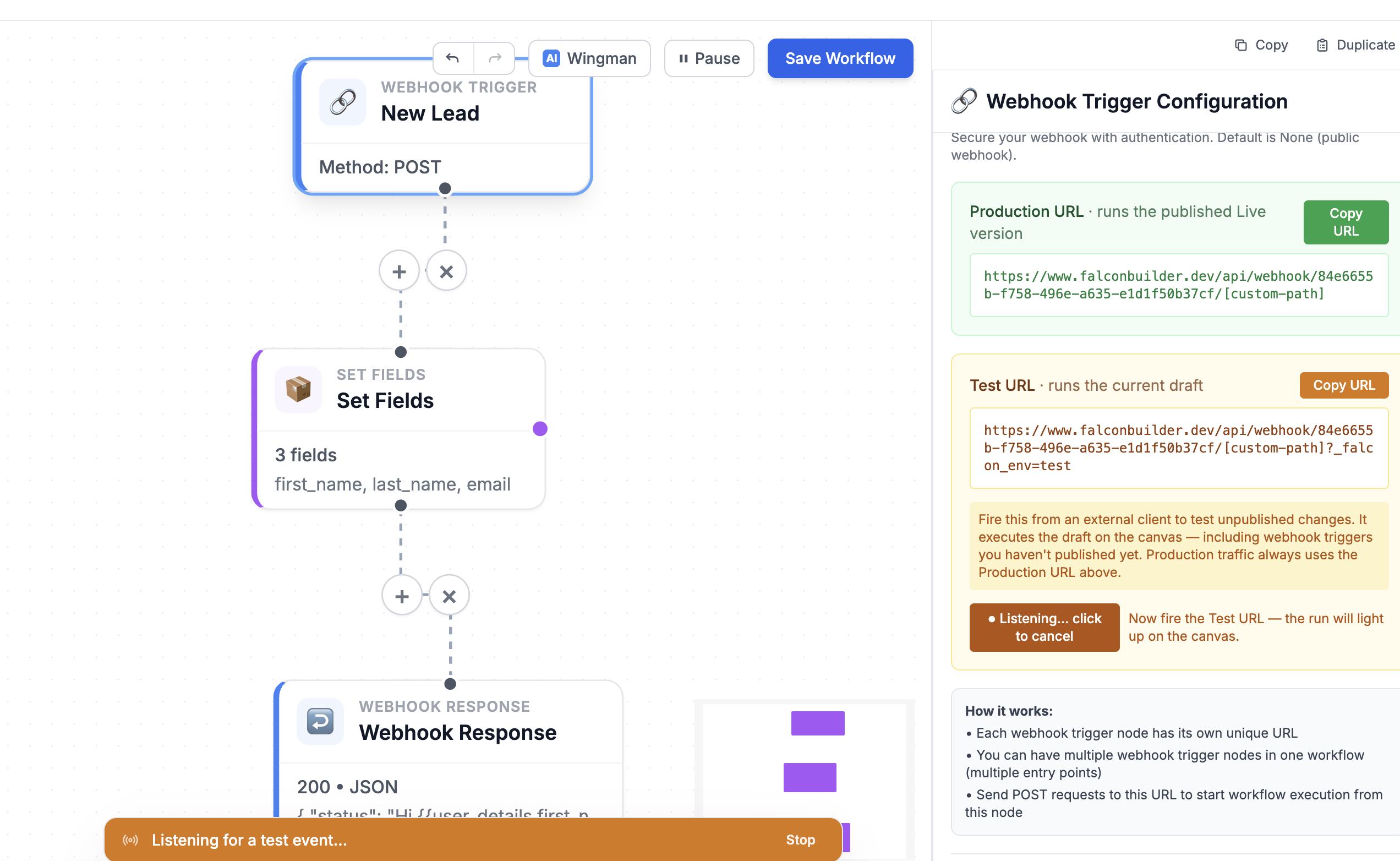
Click Listen for test event on a webhook trigger and the editor arms itself, waiting for the next draft run. Fire your Test URL from anywhere, and the moment the request lands, the editor snaps onto that run and plays it back on the canvas. Each node lights up the instant it begins — a blue ring and a spinner for running, then a green check for success or a red X for failure — and a run drawer along the bottom shows each step in order with its logs one click away.
Arm “Listen for test event,” fire the Test URL, and watch the run flow through the graph in real time.
Crucially, this works for runs you didn't start from inside the app. An external webhook firing your Test URL is normally invisible to the editor — the execution ID comes back to the caller, not to you. “Listen for test event” closes that gap: the editor polls for the next draft execution and adopts it, so a request from a totally separate system still animates your canvas.
How the canvas knows what's happening
The mechanism is simpler than it looks, and that was the point. Our execution engine already wrote logs incrementally — each node persists its logs the instant it finishes — so progress is observable as it happens. We added two lightweight signals the engine emits around every node: a node_start marker when a node begins and a node_end marker carrying success or failure when it finishes. The editor polls the running execution once a second and derives each node's state from those markers.
We made the derivation defensive on purpose. An explicit end marker wins; failing that, an error-level log marks a node failed; failing that, a node that started or produced output is treated as running or done. So even if a marker never lands — a process killed mid-run, a thrown exception — the canvas still paints the right picture. A node that died turns red; the trigger upstream of it turns green; you see the break at a glance.
The canvas was always the clearest representation of your workflow. Now it's the clearest representation of your workflow running.
Shipping it without breaking anything
The hardest part of a change like this isn't the feature — it's the migration. We had live workflows serving real traffic, and a new model that said production runs a published version. If we'd flipped that switch naively, every workflow that had never been “published” would have gone dark.
So the rollout backfills every existing workflow by publishing its current state as version 1 and pointing Live at it. At the cutover, each workflow's draft and its live version are byte-identical — behavior is unchanged until someone deliberately edits and republishes. The schema change is purely additive: new table, new nullable columns, old code simply ignores them. Apply the migration, then deploy, and there's no window where anything is broken. Existing traffic never noticed; it just quietly gained a safety net.
Why this is the same idea twice
Versioning and live observability look like two features. They're really one conviction: that building agents should feel like engineering, not like editing a live document and hoping. Version control gives you the confidence to change things — a safe place to work, a deliberate moment to ship, a way back if you're wrong. Observability gives you the confidence that what you shipped does what you think — you can watch it, not infer it.
Together they move agent-building across a line that every serious engineering discipline eventually crosses: from “it seems to work” to “I can prove it works, I can see when it doesn't, and I can roll back the moment it matters.” That's the difference between a clever demo and software you'd put in front of a customer.
Try it
Draft and Publish, version history, the Production and Test URLs, and watching a run on the canvas are available now on every Falcon Builder plan. Open any workflow, make a change, and notice that nothing ships until you say so.