
📚 Agent Knowledge
Search uploaded files, scraped web pages, and synced OneDrive/SharePoint folders using semantic similarity for RAG-powered AI workflows.
Overview
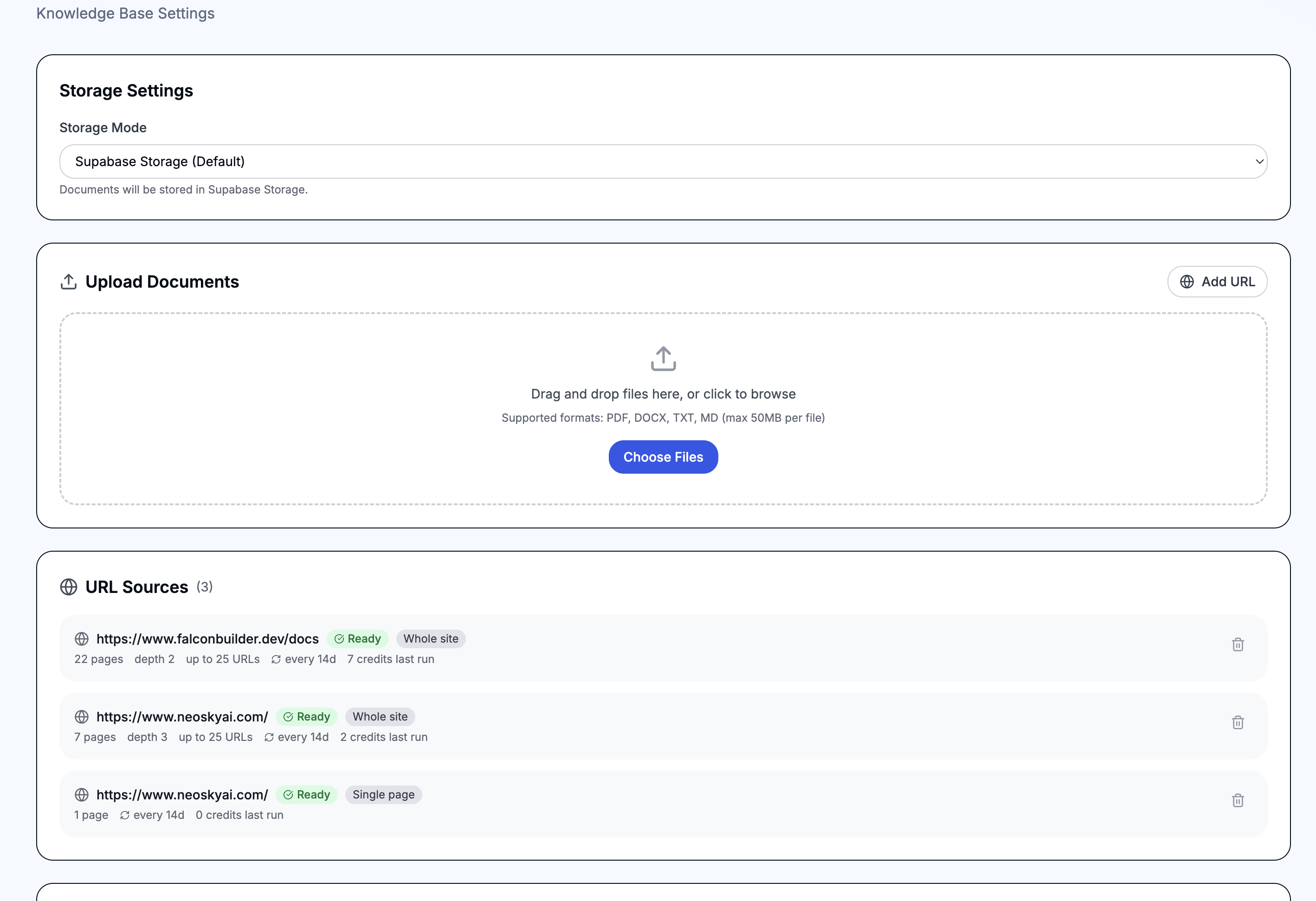
The Agent Knowledge node enables RAG (Retrieval-Augmented Generation) in your workflows. Add content to your agent's knowledge base — upload files, point it at a URL, or connect a OneDrive or SharePoint folder — then use this node to search it with semantic similarity. Feed the results into an AI Prompt node so your AI can answer questions grounded in your own data.
How It Works
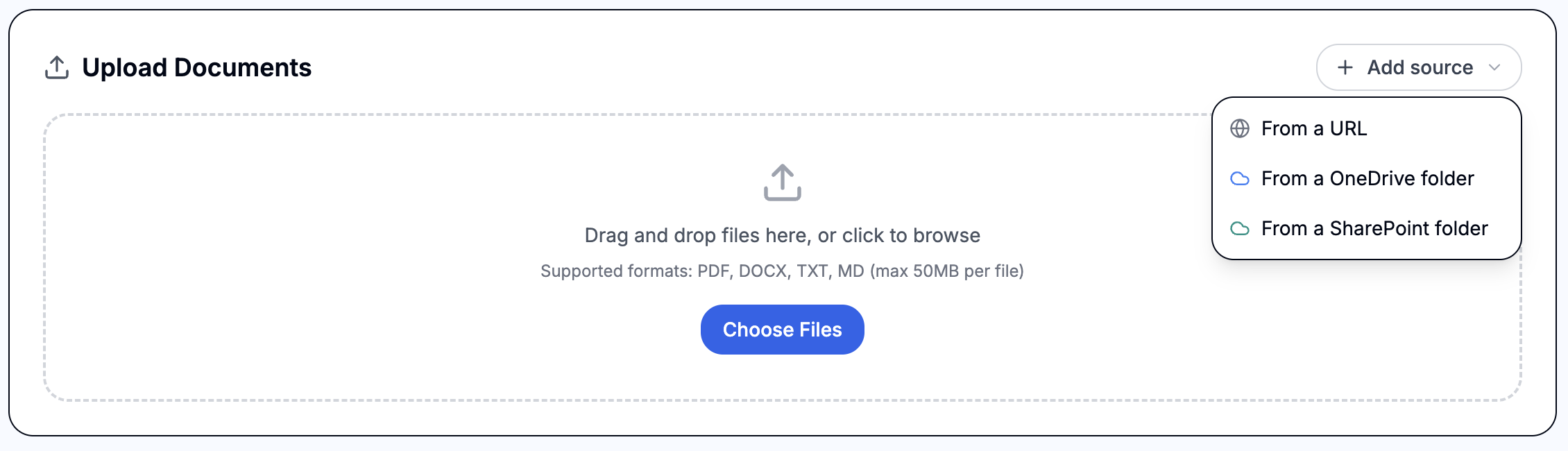
- Add content — from the Add source menu, upload PDF, DOCX, TXT, or Markdown files, ingest a single web page or crawl a whole website, or connect a OneDrive / SharePoint folder. Every source flows into the same knowledge base.
- Automatic processing — content is chunked (with markdown-aware section splitting for web pages) and embedded using OpenAI text-embedding-3-small.
- Search with the node — the Agent Knowledge node converts your query into a vector embedding and performs a cosine similarity search against the stored chunks using pgvector.
- Feed results to AI — pass the search results to an AI Prompt node as context, enabling the AI to answer questions based on your documents.
Configuration
- Query — the search text to find relevant documents. Supports{{variables}} for dynamic queries (e.g. {{$json.message}} or{{trigger.body}}).
- Top K — number of results to return (default: 5). Higher values return more context but use more tokens.
- Minimum Score — similarity threshold from 0.0 to 1.0 (default: 0.0). Set higher to filter out less relevant results.
- Output Variable — variable name to store the search results (default: knowledge_results).
- Include Metadata — whether to include source file name and chunk metadata in results.
Output Format
Results are stored in the output variable as an object with a results array. Each result includes:
- {{knowledge_results.results[0].content}} — the matched text chunk
- {{knowledge_results.results[0].score}} — similarity score (0.0 to 1.0)
- {{knowledge_results.results[0].source}} — source file name (when metadata is enabled)
Common Use Cases
- Customer support chatbot — upload product docs, FAQs, and policies so the AI can answer customer questions accurately
- Internal knowledge assistant — upload company handbooks, SOPs, and training materials for employee self-service
- Document Q&A — upload contracts, reports, or research papers and ask questions about their content
Adding content from a URL
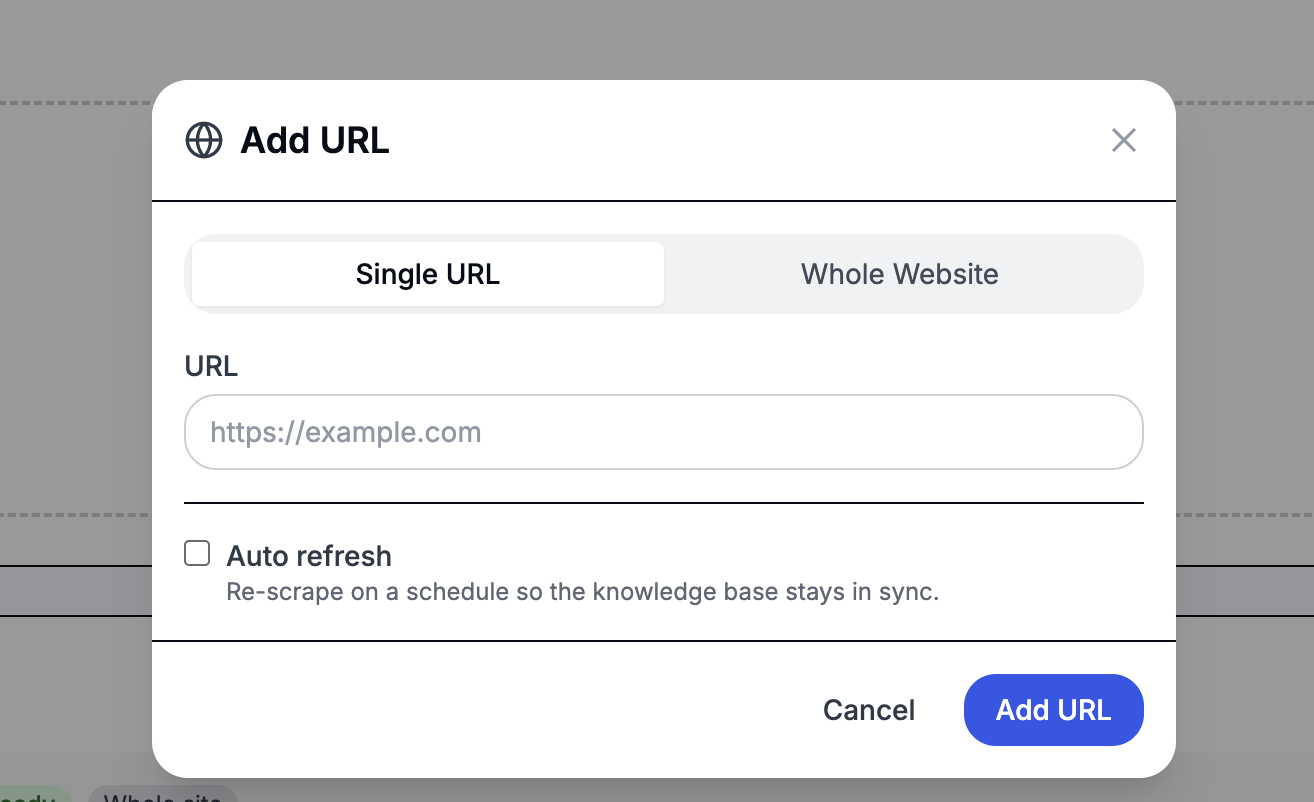
Click Add URL on the Knowledge Base tab to pull content directly from the web. There are two modes:
- Single URL — ingest one page. Best when you know the exact URLs you want to add (a pricing page, a specific FAQ, a help article).
- Whole Website — start from one URL and follow links across the site. Configure how deep the crawl goes, how many pages to ingest, and an optional URL pattern (e.g.
*/blog/*) to limit which pages are included. There's a hard cap of 500 pages per crawl to protect against runaway ingestion.
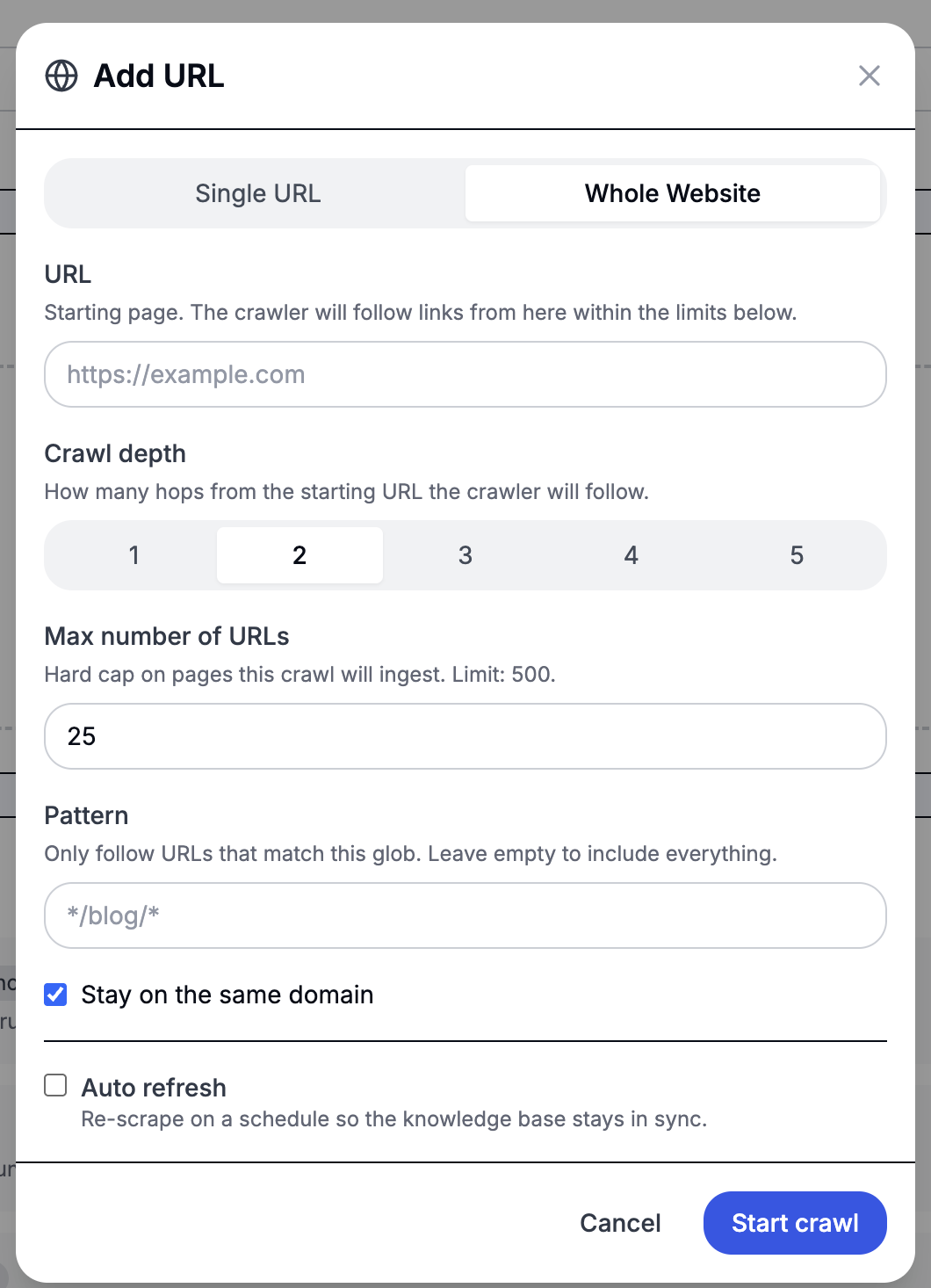
Each ingested page becomes its own entry in the knowledge base, with the page URL stored as the source. You can delete a URL source at any time, and all pages it produced are removed with it.
Connecting a OneDrive or SharePoint folder
From the Add source menu, choose From a OneDrive folder or From a SharePoint folder to sync the documents in a folder into the knowledge base. This is ideal when your source material already lives in Microsoft 365 and you'd rather keep it there: the original files stay in OneDrive/SharePoint, and Falcon stores only the extracted text and embeddings it needs to answer queries — a good fit for HIPAA-conscious deployments that don't want the platform housing source documents.
To set one up:
- Pick a connection — choose an existing OneDrive or SharePoint connection, or use + New to connect another Microsoft account, then ↻ refresh to pick it up. Both delegated (OAuth) and App-Only connections are supported. Different agents can sync folders from entirely different accounts.
- Choose a site (SharePoint only) — search for and select the SharePoint site that holds the document library you want.
- Browse to a folder — drill into the folder you want to sync. Toggle Include subfolders to sync the whole tree, and optionally limit to specific file types (e.g.
pdf, docx). - Sync — every supported file in the folder is extracted, chunked, and embedded just like an uploaded document. A folder can sync up to 1,000 files.
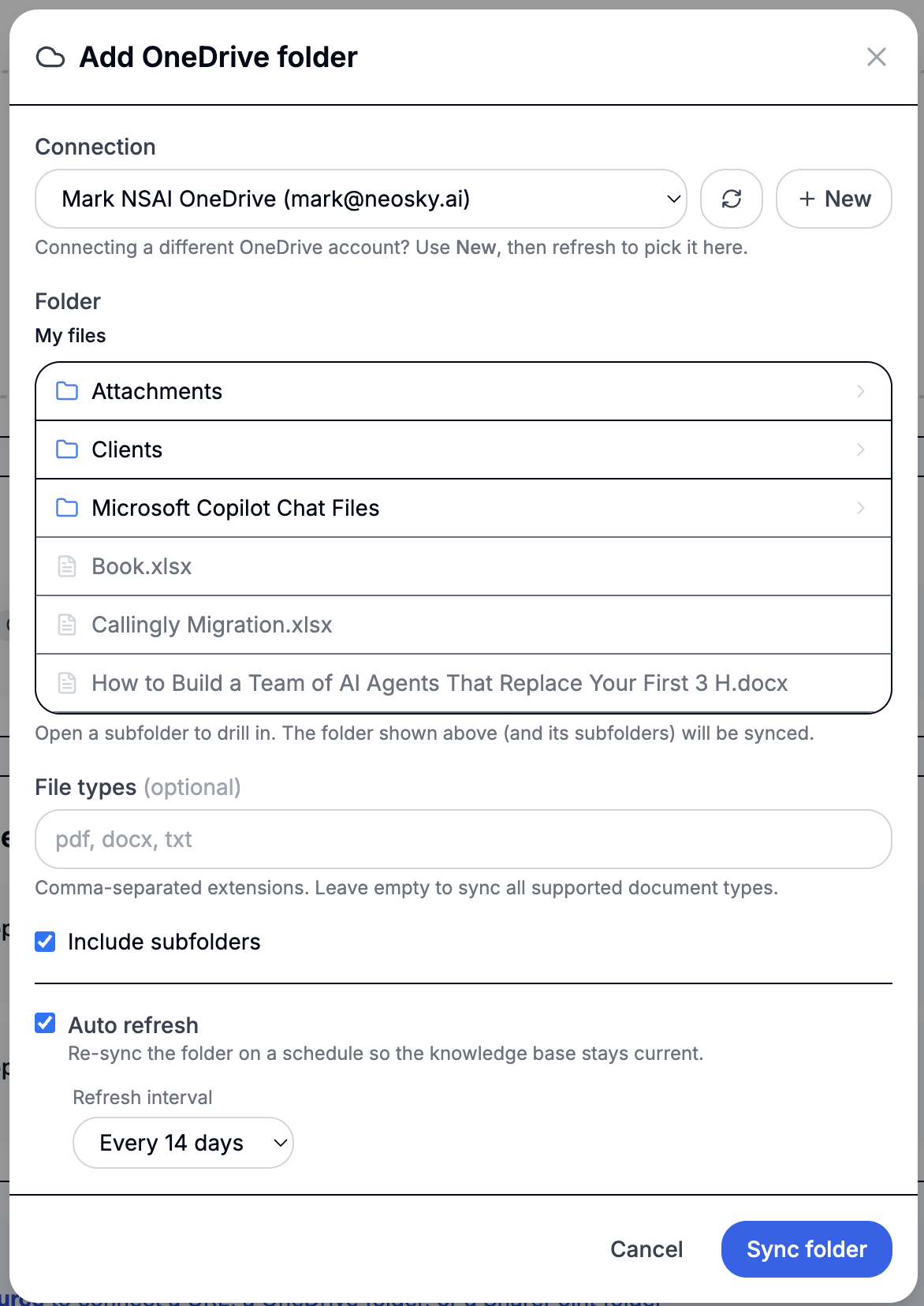
Each synced file becomes its own knowledge base entry. On later refreshes the sync is incremental: only files whose contents changed are re-embedded, files removed from the folder are dropped, and unchanged files are left untouched — so a refresh over a large folder is cheap. Deleting the source removes all of its synced documents; it never touches the files in OneDrive or SharePoint.
Supported document types are PDF, DOCX, TXT, Markdown, and other text formats (CSV, JSON, XML, HTML). Images, spreadsheets, and other binaries are skipped. App-Only OneDrive connections need a default user set on the connection so Falcon knows whose drive to read.
Keeping content fresh
Source content changes. When adding a URL or folder source, you can enable Auto refresh to re-ingest on a schedule (every 7, 14, or 30 days). URL sources re-fetch the page or re-crawl the site; OneDrive/SharePoint folders re-sync against Microsoft 365 — in both cases the knowledge base updates automatically.
To re-ingest immediately without waiting for the schedule, use the Refresh now button (the circular-arrows icon) next to any source in the Connected Sources list. The status updates in place as it re-runs, and a refresh that's already in progress can't be triggered again until it finishes.

Supported sources
- PDF (.pdf)
- Microsoft Word (.docx, .doc)
- Plain text (.txt)
- Markdown (.md)
- Web pages — single URL or full-site crawl (up to 500 pages per source)
- OneDrive folder — OAuth or App-Only connection (up to 1,000 files per source)
- SharePoint folder — OAuth or App-Only connection (up to 1,000 files per source)
Storage Options
Uploaded files and scraped web pages are stored in Supabase Storage (default) or your own AWS S3 bucket. Configure S3 credentials in the agent settings to use your own storage.
For OneDrive and SharePoint folder sources, the original files stay in Microsoft 365 — Falcon never copies the source documents into its own storage. Only the extracted text and vector embeddings needed for search are kept.
Required Credentials
Delegated OAuth2 connection to your personal OneDrive via Microsoft Graph.
OneDrive (App-Only)Service-account connection to a specific user's OneDrive via an Azure app.
SharePoint (OAuth)Delegated OAuth2 connection to SharePoint via Microsoft Graph (per-user).
SharePoint (App-Only)Service-account connection to SharePoint via an Azure app (client credentials).