
There are two sentences that end an evaluation of any cloud automation platform, and neither of them is about price.
The first is “that data can't leave our network.” The second is “the system I need to automate isn't on the public internet.” One is a policy boundary, the other is a routing boundary, and no pricing tier fixes either of them.
Today Falcon Builder runs on your own server. The Community edition is the full builder — visual workflows, AI-generated agents, knowledge bases with document embeddings, hosted forms and chat interfaces, the website chatbot widget, scheduled and webhook triggers, and every integration node — started with one docker compose up -d on hardware you own. Your database, your file storage, your AI provider keys. There's no license fee, and nothing about how your workflows run leaves your infrastructure.
Two boundaries, one answer
The data boundary is the one everybody names first. A legal team, a hospital system, a bank, a government contractor — somewhere in the org there's a written rule about where records are allowed to sit at rest, and a managed SaaS runtime doesn't satisfy it no matter how good the SOC report is. Self-hosting doesn't make a compliance obligation disappear; it puts the entire boundary inside a perimeter you already control and already audit.
The network boundary is quieter and, in practice, just as common. The thing you actually want to automate is a Postgres instance with no public listener, an internal HTTP service behind the VPN, a line-of-business app on a private subnet, an on-prem file share. A cloud worker can't reach any of it, and punching a hole through the firewall to let one vendor's IP range in is a project nobody wants to sponsor. A worker running inside the network reaches those systems the same way your own services do — by hostname, on the private network, with no inbound exposure at all.
Self-hosting isn't a discount tier. It's the answer to constraints that pricing can't touch.
What Community edition actually is
It is the builder. Not a stripped evaluation build, not a subset of nodes, not a read-only runner for workflows you author somewhere else. You build on the same canvas, generate agents the same way, embed documents into the same pgvector-backed knowledge bases, and publish the same hosted chat and form interfaces. Every integration node ships.
Each instance is a single workspace with unlimited members. The first account to sign up owns it; everyone after joins by invitation, with sign-in, invitations, and password reset configured through your own SMTP server — and Google or Microsoft sign-in if you'd rather wire up your own OAuth apps.
What isn't in it: billing, affiliates, and the marketing site. That's not a feature gate — there's nothing to bill when the thing is running on your own hardware, and there's no reason to ship a public marketing site into your private network. There is also no platform-enforced workflow or execution limit. You're bounded by your server and whatever rate limits your AI provider sets, and by nothing else.
What runs
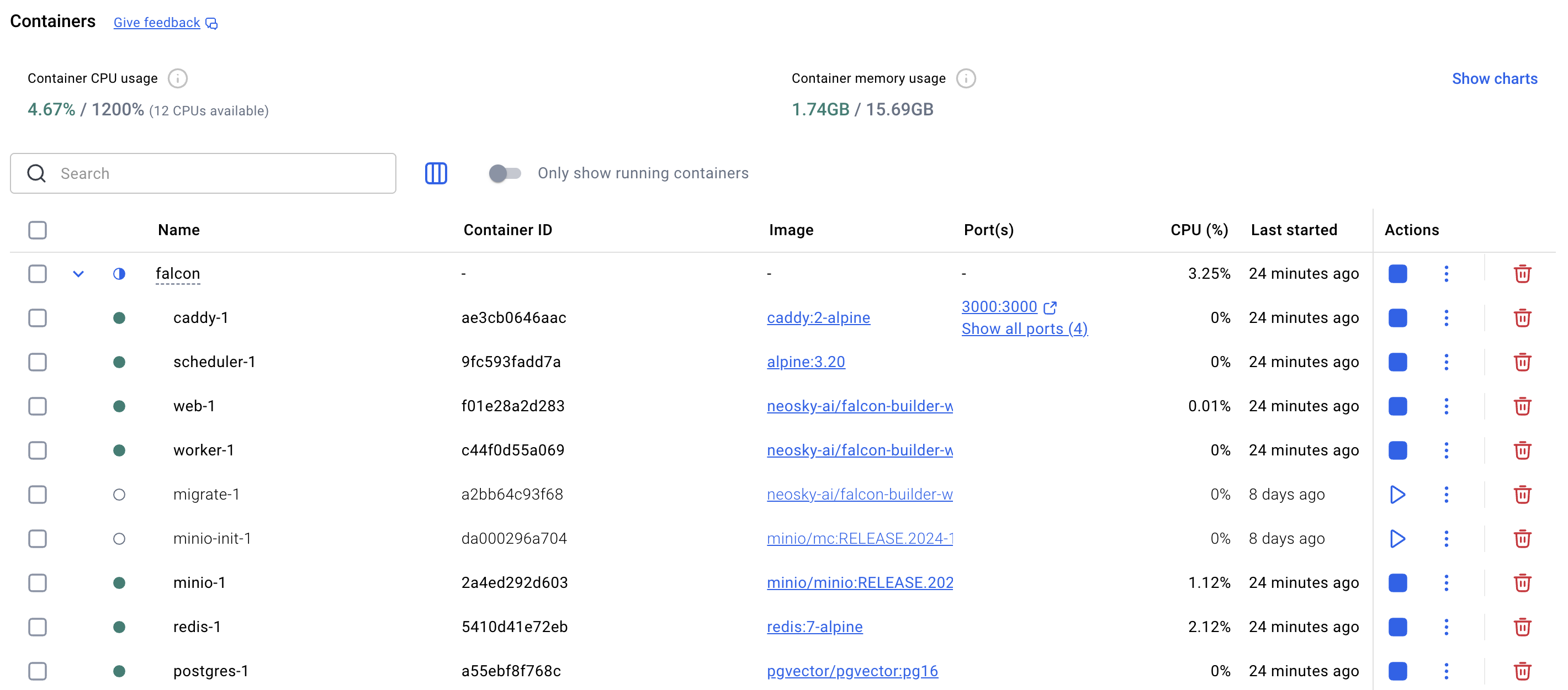
A fixed set of services, started together:
| Service | Role |
|---|---|
| web | The application — canvas, dashboard, hosted interfaces |
| worker | The workflow execution engine |
| postgres (pgvector) | The database, including knowledge-base embeddings |
| redis | Job queues for the worker |
| minio | Bundled S3-compatible file storage |
| caddy | Reverse proxy with automatic TLS — the only service that publishes ports |
| scheduler | Scheduled triggers, timeouts, and retention jobs |
Two details in that table matter more than the rest. Caddy is the only service that publishes ports, so the database, the queue, and the worker are never directly exposed — the attack surface is one reverse proxy terminating TLS it provisions itself. And Postgres and MinIO are bundled, which means a complete instance requires no external accounts at all. If you'd rather run your own managed Postgres or point object storage at S3, R2, or a similar bucket, both swap out through environment variables.
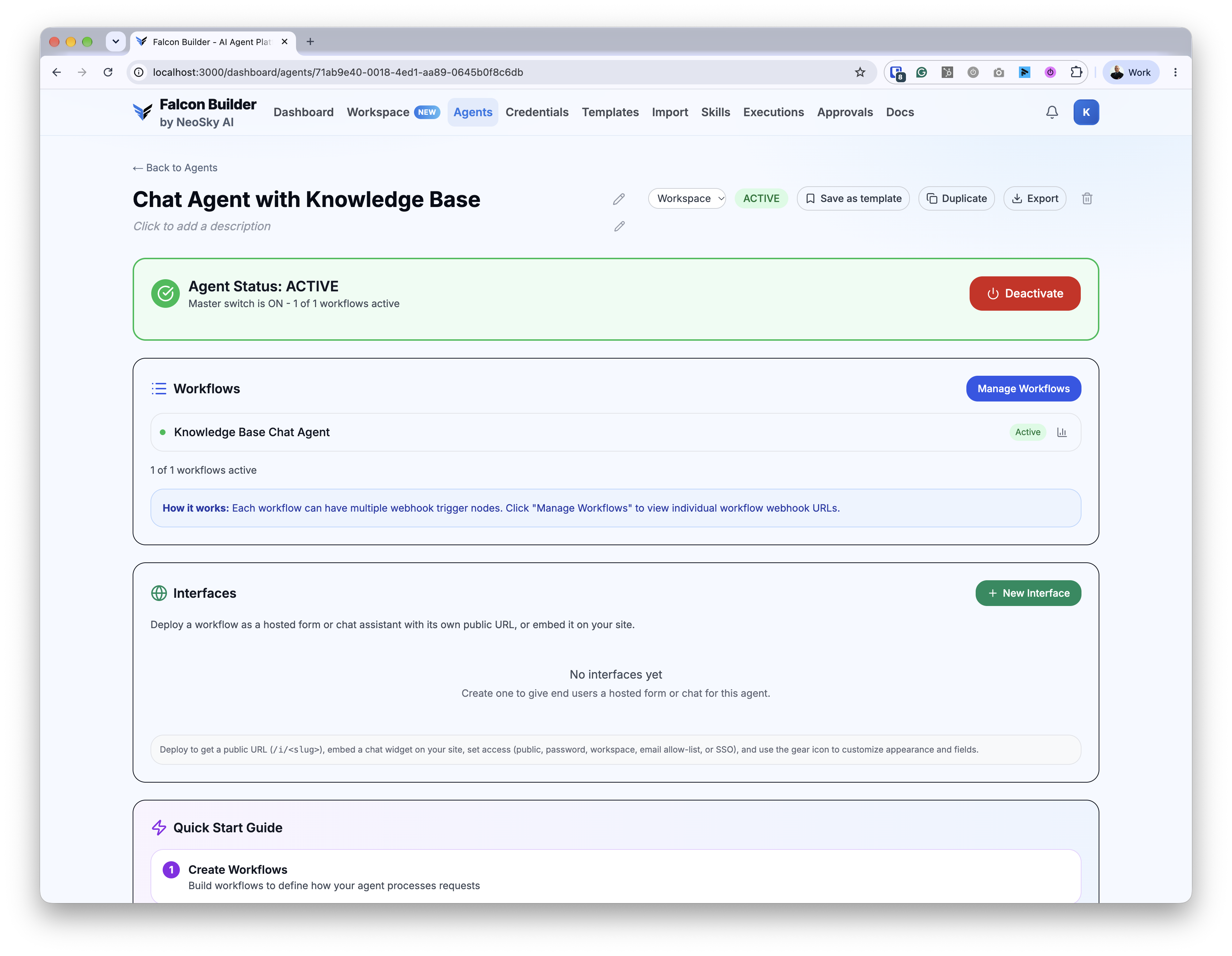
The floor is genuinely low: Docker Engine 24+ with Compose v2.20+, 2 vCPU and 4 GB of RAM to start. For a public server you'll want a DNS name with ports 80, 443, and 9000 reachable. On a laptop, the defaults give you a working instance at http://localhost:3000 with nothing else to configure.
Quick start
git clone https://github.com/NeoSky-AI/falcon-builder-self-hosted
cd falcon-builder-self-hosted
./setup.sh          # asks for your public URL, generates every secret into .env
docker compose up -d
setup.sh asks for your public URL and generates every secret into .env — no hand-rolled key material, no placeholder passwords surviving into production because someone forgot to change them. From there, open .env, point it at your SMTP server so invitations and password resets deliver, and add an AI provider key. OpenAI is the recommended one for knowledge-base embeddings.
Everything else lives in .env too, and the deployment repo carries a guide for each service you connect: sign-in, email, file storage, and upgrading.
What we mean by open
Worth being precise here, because “open source” gets used loosely and you should know exactly what you're adopting.
The deployment stack is open source under Apache 2.0 — the Docker Compose file, the setup script, and the operator docs, all on GitHub. Read them, fork them, adapt them, run them forever. The application runs from prebuilt container images published to GitHub Container Registry; the app's own source isn't published.
That's the honest shape of it. What it buys you in practice is that the operational surface — the part you have to trust, debug, and modify at 2 a.m. — is fully inspectable, and the images are pinned artifacts you can hold at a known version indefinitely.
Kubernetes isn't supported yet; Compose is the path today. But because the stack is a fixed set of ordinary services — an app, a worker, Postgres, Redis, object storage, a reverse proxy — translating the Compose file to your own orchestrator is a short afternoon, not a port.
Your keys, your bill
Bring your own API key for OpenAI, Anthropic, Google, Mistral, or OpenRouter — or point at a local model server with Ollama and keep inference inside the building alongside everything else.
Whatever you connect is billed directly by that provider. Falcon Builder doesn't mark up or meter it. There's no token resale in the middle, no per-execution surcharge, no platform tax on model spend. You pay for your server, your storage, and your provider, and that's the whole cost structure.
The operational surface is open, the images are pinned, and the model spend is yours. No part of running this depends on a meter we control.
Operating it
Updates are boring by design, which is the correct ambition for infrastructure. Each release is a tag on the deployment repo pinning a specific image version, with an UPGRADING.md entry describing what changed. The loop is:
git pull
# read the new UPGRADING.md entry
docker compose pull && docker compose up -d
The migrate service brings your schema forward automatically. You choose when to move, you know what's in each move before you make it, and you can sit on a pinned version as long as your change-control process requires.
Cloud or self-hosted
Pick by constraint, not by budget.
Cloud at falconbuilder.dev is the fastest way to start: managed infrastructure, automatic scaling, a free plan, nothing to operate. If no rule says your data has to stay put and nothing you're automating lives behind a firewall, use it and spend your time building agents instead of patching hosts.
Self-hosted trades that convenience for full control. Same builder, servers you own, for teams whose data has to stay on their own infrastructure or who need to reach internal services Cloud can't. You take on the operations — backups, monitoring, upgrades, the host itself — and in exchange the entire boundary is yours.
Either way you're building on the same canvas, and the workflows you author in one are the workflows you author in the other.
Try it
The self-hosted deployment stack is on GitHub now. Clone it, run the setup script, and have an instance up in the time it takes to provision a box.