
Docs / AI Generator
AI Generator
Describe what you want your automation to do in plain English, and the AI Generator creates a complete, production-ready workflow with all nodes, connections, and configurations.
Overview
The AI Generator lets you skip the blank canvas. Instead of manually dragging nodes onto the workflow editor, describe what you want in natural language and the generator builds a complete workflow for you. The result is fully transparent — every node and connection is visible and editable in the visual editor, just like a manually-built workflow.
There are two modes: the AI Agent Generator creates a brand-new agent with its first workflow, while the AI Workflow Generator adds a workflow to an existing agent.
AI Agent Generator
Creates a new agent and its first workflow from a natural language description. Use this when starting from scratch.
How to use
- Navigate to Dashboard → Agents
- Click “AI Agent Generator”
- Describe what you want your agent to do (see examples below)
- Optionally select a custom LLM credential for BYO LLM
- Click “Generate Agent”
- You'll be redirected to the workflow editor with the generated workflow loaded
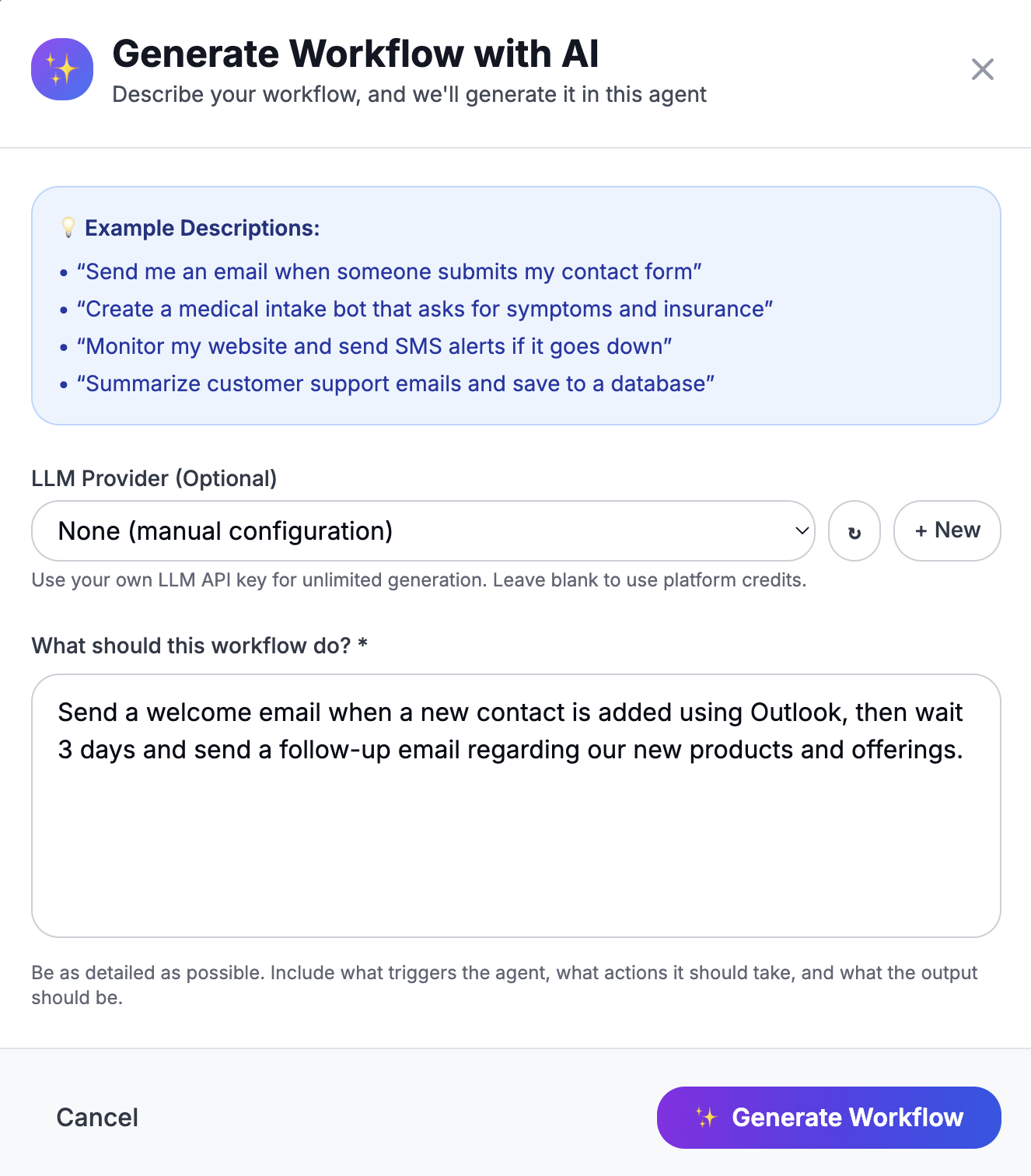
AI Workflow Generator
Adds a new workflow to an existing agent. Use this to extend an agent with additional automations.
How to use
- Navigate to an existing agent's Workflows page
- Click “AI Workflow Generator”
- Describe the workflow you want to add
- Optionally select a custom LLM credential
- Click “Generate Workflow”
- The new workflow is created under the current agent and opened in the editor
Example Descriptions
The more specific your description, the better the generated workflow:
- “Send me an email when someone submits my contact form”
- “Create a medical intake bot that asks for symptoms and insurance info via SMS”
- “Monitor my website every 5 minutes and send an SMS alert if it goes down”
- “Summarize customer support emails with AI and save the summary to a PostgreSQL database”
What Gets Generated
The AI Generator creates a complete workflow including:
- Trigger node — the right trigger type for your use case (webhook, schedule, email, Google Sheets, etc.)
- Action nodes — AI prompts, HTTP requests, database queries, email/SMS sending, and more
- Logic nodes — conditions, switches, and loops where needed
- Connections — all nodes are properly connected with edges
- Configuration — node settings are pre-populated with sensible defaults and variable references
Generated workflows are created in Draft mode. Review the workflow in the visual editor and activate it when ready.
Supported Node Types
The AI Generator can create workflows using any of these nodes:
Triggers
Webhook, Schedule/Cron, Email, Google Sheets, Outlook
AI & Logic
AI Prompt, Condition, Switch, Loop, Code (JavaScript/Python)
Integrations
HTTP Request, Send Email, Send SMS, Google Sheets, GoHighLevel, AWS S3, PostgreSQL, MySQL, MSSQL, MongoDB, Microsoft Outlook, Webhook Response, MCP Tools
Utilities
Log Message, Delay, Set Fields
Credits & Pricing
Each AI generation consumes one credit from your plan:
| Plan | Credits / month |
|---|---|
| Free | 3 |
| Pro | 25 |
| Business | 100 |
| Enterprise | Unlimited |
Bring Your Own LLM (BYO LLM)
Connect your own LLM API key for unlimited AI generation at zero platform cost. Tokens are billed directly by your LLM provider.
Setup
- Go to Dashboard → Credentials → Add Credential
- Select a credential type: OpenAI API, Anthropic API, Google API, or Ollama API
- Enter your API key and give the credential a name
- In the AI Generator modal, select your credential from the LLM Provider dropdown
When using your own API key, the AI Generator bypasses credit limits entirely. Typical cost per generation is $0.01–$0.05 billed by your provider.
Pairing with AI Wingman
After generating a workflow, use AI Wingman to refine it. Wingman sees your entire workflow context and can make targeted changes through conversation — add nodes, update prompts, adjust conditions, or restructure logic without regenerating the entire workflow.