
Docs / Notifications
Notifications
Get notified instantly when a workflow fails, or pauses on a Human Approval step — via email, in-app alerts, or both.
Overview
Notifications alert you in real time about two kinds of events, each with its own toggle:
- Workflow failures — a workflow execution failed. You receive the error details and a direct link to the execution logs.
- Approval requests — a workflow paused on a Human Approval step and is waiting for someone to approve or reject it in the Approvals queue. The workflow stays paused until a decision lands (or the step's timeout fires), so reviewers are alerted the moment a request is created.
Each agent has independent notification settings, so you control exactly which automations send alerts and who receives them.
Setup
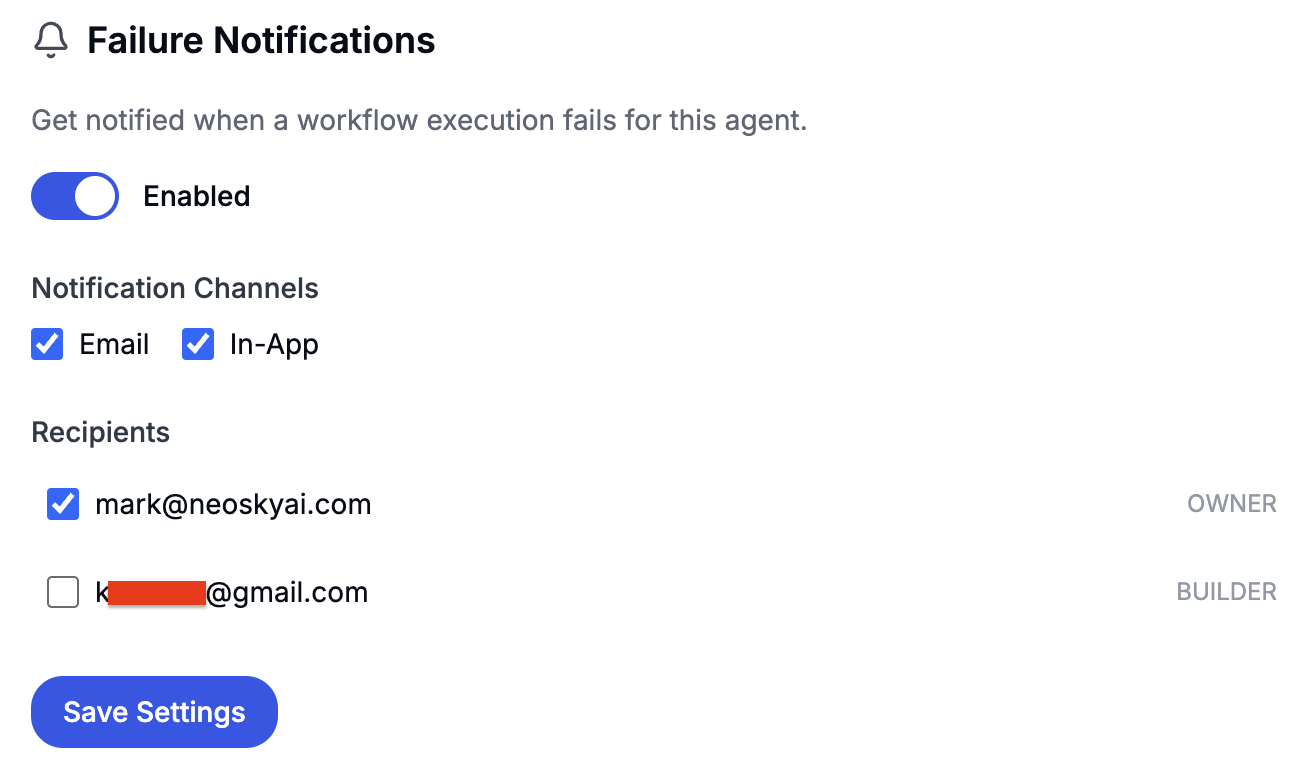
- Navigate to your agent's detail page (Dashboard → Agents → select an agent)
- Scroll to the Notifications section
- Toggle Enabled to turn on notifications
- Under Notify About, choose the event types: workflow failures, approval requests, or both
- Select Notification Channels: Email, In-App, or both
- Choose Recipients from your workspace members
- Click Save Settings
Notification Channels
- Email — Failure emails include the agent name, workflow name, error message, and a “View Execution Logs” button. Approval emails include the request title and message, the decide-by deadline when the step has a timeout, and a “Review Request” button that opens the Approvals queue. Emails are sent from
Falcon Builder <notif@falconbuilder.dev>. - In-App — Adds a notification to the bell icon in the top navigation bar. Unread notifications show a count badge. Clicking a failure notification opens the execution details; clicking an approval notification opens the Approvals queue.
Approval Requests Are Never Silent
An approval request is an action item, not telemetry — a pause nobody hears about blocks the workflow until it times out. So approval alerts have a built-in floor:
- Agent notifications configured — approval alerts go to the configured recipients on the configured channels, same as failure alerts.
- Nothing configured — every workspace member still gets an in-app notification in the bell. Email stays opt-in, so unconfigured agents never spam inboxes.
- Approval event unchecked — nothing is sent. Unchecking the event is the explicit opt-out.
Tip: give Human Approval steps a Wait Timeout so an unanswered request eventually routes down the step's Timeout branch instead of pausing the workflow indefinitely.
Configuration Details
- Per-agent settings — Each agent has independent notification configuration. Enable alerts for critical production agents while leaving development agents silent.
- Per-event toggles — Failures and approval requests are controlled independently but share the same recipients and channels. Agents configured before approval alerts existed have both event types on automatically.
- Multiple recipients — Select any workspace member as a recipient. Choose specific team members who should be notified based on agent ownership or responsibility.
- Non-blocking — Notification delivery never interferes with workflow execution. If email sending fails, the error is logged but does not affect the workflow — and an approval request is still decidable from the Approvals queue even if its notification failed.
Error Workflow
Beyond notifications, each agent can designate an Error Workflow — a central handler that runs automatically whenever an execution terminally fails (after any configured retries are exhausted, including executions recovered by the platform reaper). Set it in the agent's Notifications panel or via the API (errorWorkflowId).
The error workflow receives a structured payload:
{{input.error.executionId}}— the failed execution's ID{{input.error.workflowId}}/{{input.error.workflowName}}— which workflow failed{{input.error.message}}— the error, including the failing node's context{{input.error.input}}— the original trigger payload, so the handler can log it, alert on it, or replay it{{input.error.retryCount}}/{{input.error.failedAt}}
Route it anywhere a workflow can go — Slack, email, a Postgres incident table, a ticketing system. Loop-safe by design: an error workflow never triggers on its own failures, and error-handler runs never chain into further handlers. Handler runs do not count against your execution limit.
Availability
Notifications are available on every Falcon Builder plan, including Free. There are no limits on the number of notifications sent.